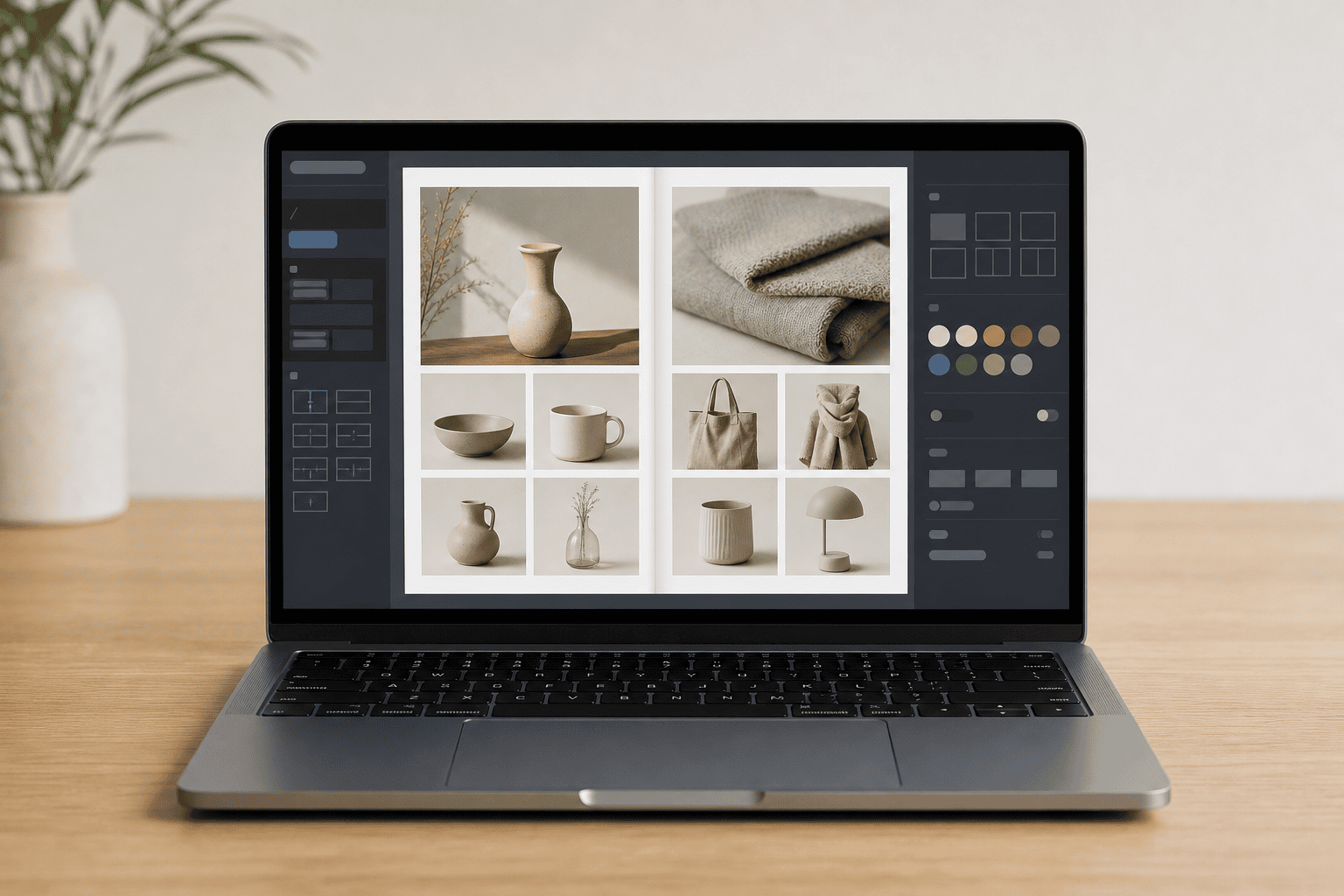
Laptop on a clean desk showing an online catalog maker interface with product photo grid and editing panels.

A roofing company gets the same email three times a week: “Can you send me your product and service brochure?” Someone on the team digs up a PDF, attaches it, hits send, and never hears back. An online catalog maker turns that same document into something easier to update, easier to share, trackable, and, if set up well, able to collect the email addresses of the people reading it.

Beyond the Static PDF

An online catalog maker is a tool for building, publishing, updating, and sharing a digital catalog that lives at a web link rather than inside an email attachment. The catalog can hold product pages, service packages, pricing tables, photos, downloadable PDFs, outbound links, and contact or quote-request forms. A furniture shop can arrange rooms by collection. A wholesaler can group SKUs by category. A landscaping company can walk a homeowner through maintenance tiers.

The limits of the one-PDF-attached-to-an-email approach show up quickly. When pricing changes or a product is discontinued, the old PDF keeps circulating. There is no way to see who opened it, which pages held their attention, or whether they shared it internally. There is no built-in follow-up. And once the reader downloads the file, they can disappear with no trace, no email address, no reason to come back.

A hosted digital catalog solves most of this. Edits go live immediately. Analytics show what readers actually look at. And because the catalog lives on a web page, it can include the kinds of prompts a PDF cannot: a quote button, a booking link, a form, a chat widget.

Gated Previews as Lead Magnets

Here is the move most small businesses miss. Instead of sending the full catalog to anyone who asks, publish the first several pages openly and ask for an email address to view the rest. A pdf catalog maker that supports this kind of partial preview turns the catalog itself into a lead magnet.

The reader gets enough to judge whether the catalog is worth their time, an overview, a few sample products, a pricing range, the brand story. If they want the full lookbook, the complete wholesale price list, the detailed service menu, or the seasonal offer sheet, they enter an email address and get access.

This works for brochures, restaurant menus with catering packages, service catalogs from contractors and equipment dealers, wholesale lists, furniture lookbooks, and holiday promotion sheets. The business ends up with a list of people who were interested enough to identify themselves, which is a much warmer lead than an anonymous download. From there, a short email sequence can introduce the company, answer common questions, and offer a next step like a quote or a consultation.

The ethical line matters. Give away enough that the preview is genuinely useful. If the free pages feel like a tease, readers close the tab.

Catalogs That Tell a Story

The weakest catalogs are grids of products with prices underneath. The strongest ones are structured like a short argument: here is the problem, here is how we solve it, here are examples of the work, here are the packages, here is proof it works, here is how to take the next step.

A roofer’s catalog can open with common roof problems in the local climate, then move into materials, then into completed projects, then into service tiers. A digital agency can structure a catalog around client goals rather than service names. A furniture store can group products by the room they furnish and the mood they create, not by SKU.

Interactive elements carry the story. Embedded video walks a reader through a product that photos cannot fully explain. Clickable hotspots on a room photo link to each piece of furniture shown. Product links push a reader from the catalog to a detailed page. Quote request buttons sit next to custom work. Booking links sit next to consultations. Image galleries replace single hero shots. Internal navigation lets a reader jump to the section that matters to them without scrolling through pages they do not care about.

A catalog that reads like a conversation holds attention longer than a catalog that reads like a spreadsheet.

Hosting and Pricing Decisions

There is a meaningful difference between sending a prospect to a third-party viewer link and hosting the catalog on the business’s own domain. The domain version builds trust, the URL matches the business. It feeds analytics into the same account that tracks the rest of the website. It supports retargeting, so someone who browsed the catalog can see ads later. And it keeps the conversion path short: a reader can move from catalog to contact form without leaving the site.

Pricing is the other decision. Visible prices work well in retail, in standardized service packages, and anywhere the buyer expects to self-qualify before reaching out. An online catalog maker with prices suits a furniture shop, a parts dealer, or a landscaper with clear tiered packages. Hidden pricing, or a quote-based model, fits custom work, large wholesale orders, and anything where cost depends on volume, specification, or season.

A wholesale catalog maker often needs to do both: show list pricing to logged-in trade accounts while showing a quote request to the general public. Seasonal pricing, common in landscaping, roofing, and hospitality, is another reason to favor a catalog that can be updated quickly rather than a printed PDF that locks numbers in place.

Choosing the Right Tool

Not every business needs the most advanced platform. A free online catalog maker is often enough for a small product list, a simple brochure, or a seasonal menu that just needs to look clean and load on a phone. The best online catalog maker for a given business is usually the simplest one that covers what the business actually needs.

Paid tools start to earn their cost when the catalog grows past a few dozen items, when analytics matter, when lead capture and gated downloads are part of the strategy, when the catalog needs to embed into the business’s own domain, or when the business wants the catalog to talk to its email platform automatically. An online catalog creator for small business should at minimum handle easy editing, PDF upload, mobile display, basic lead capture, pricing controls, and export.

Common mistakes cut across tool choice. Pages get overloaded with too many products and no hierarchy. Contact options are buried. Prices go stale. Product photos are inconsistent or poorly lit. The email gate shows up on page one, before the reader has any reason to trust the brand. Downloaders never get a follow-up email. And the catalog gets treated as a one-time file rather than something maintained the way a website is maintained.

Start a Conversation

The point of collecting an email is not to have an email. It is to have a reason to follow up. A short sequence, a welcome message, a note about the most popular products or services, an invitation to ask a question, a seasonal update when something new is added, turns a catalog download into a relationship. Segmenting those emails by what the reader looked at makes the follow-up feel relevant rather than generic.

The best catalog is not a file people view once and forget. It is a working document the business keeps current, hosts on its own site, and uses as the opening line of a conversation that would otherwise never have started.

Online Catalog Maker

A roofing company gets the same email three times a week: "Can you send me your product and service brochure?" Someone on the team digs up a PDF, attaches it, hits send, and never hears back. An online catalog maker turns that same document into something easier to update, easier to share, trackable, and, if set up well, able to collect the email addresses of the people reading it.

Beyond the Static PDF

An online catalog maker is a tool for building, publishing, updating, and sharing a digital catalog that lives at a web link rather than inside an email attachment. The catalog can hold product pages, service packages, pricing tables, photos, downloadable PDFs, outbound links, and contact or quote-request forms. A furniture shop can arrange rooms by collection. A wholesaler can group SKUs by category. A landscaping company can walk a homeowner through maintenance tiers.

The limits of the one-PDF-attached-to-an-email approach show up quickly. When pricing changes or a product is discontinued, the old PDF keeps circulating. There is no way to see who opened it, which pages held their attention, or whether they shared it internally. There is no built-in follow-up. And once the reader downloads the file, they can disappear with no trace, no email address, no reason to come back.

A hosted digital catalog solves most of this. Edits go live immediately. Analytics show what readers actually look at. And because the catalog lives on a web page, it can include the kinds of prompts a PDF cannot: a quote button, a booking link, a form, a chat widget.

Gated Previews as Lead Magnets

Here is the move most small businesses miss. Instead of sending the full catalog to anyone who asks, publish the first several pages openly and ask for an email address to view the rest. A pdf catalog maker that supports this kind of partial preview turns the catalog itself into a lead magnet.

The reader gets enough to judge whether the catalog is worth their time, an overview, a few sample products, a pricing range, the brand story. If they want the full lookbook, the complete wholesale price list, the detailed service menu, or the seasonal offer sheet, they enter an email address and get access.

This works for brochures, restaurant menus with catering packages, service catalogs from contractors and equipment dealers, wholesale lists, furniture lookbooks, and holiday promotion sheets. The business ends up with a list of people who were interested enough to identify themselves, which is a much warmer lead than an anonymous download. From there, a short email sequence can introduce the company, answer common questions, and offer a next step like a quote or a consultation.

The ethical line matters. Give away enough that the preview is genuinely useful. If the free pages feel like a tease, readers close the tab.

Catalogs That Tell a Story

The weakest catalogs are grids of products with prices underneath. The strongest ones are structured like a short argument: here is the problem, here is how we solve it, here are examples of the work, here are the packages, here is proof it works, here is how to take the next step.

A roofer's catalog can open with common roof problems in the local climate, then move into materials, then into completed projects, then into service tiers. A digital agency can structure a catalog around client goals rather than service names. A furniture store can group products by the room they furnish and the mood they create, not by SKU.

Interactive elements carry the story. Embedded video walks a reader through a product that photos cannot fully explain. Clickable hotspots on a room photo link to each piece of furniture shown. Product links push a reader from the catalog to a detailed page. Quote request buttons sit next to custom work. Booking links sit next to consultations. Image galleries replace single hero shots. Internal navigation lets a reader jump to the section that matters to them without scrolling through pages they do not care about.

A catalog that reads like a conversation holds attention longer than a catalog that reads like a spreadsheet.

Hosting and Pricing Decisions

There is a meaningful difference between sending a prospect to a third-party viewer link and hosting the catalog on the business's own domain. The domain version builds trust, the URL matches the business. It feeds analytics into the same account that tracks the rest of the website. It supports retargeting, so someone who browsed the catalog can see ads later. And it keeps the conversion path short: a reader can move from catalog to contact form without leaving the site.

Pricing is the other decision. Visible prices work well in retail, in standardized service packages, and anywhere the buyer expects to self-qualify before reaching out. An online catalog maker with prices suits a furniture shop, a parts dealer, or a landscaper with clear tiered packages. Hidden pricing, or a quote-based model, fits custom work, large wholesale orders, and anything where cost depends on volume, specification, or season.

A wholesale catalog maker often needs to do both: show list pricing to logged-in trade accounts while showing a quote request to the general public. Seasonal pricing, common in landscaping, roofing, and hospitality, is another reason to favor a catalog that can be updated quickly rather than a printed PDF that locks numbers in place.

Choosing the Right Tool

Not every business needs the most advanced platform. A free online catalog maker is often enough for a small product list, a simple brochure, or a seasonal menu that just needs to look clean and load on a phone. The best online catalog maker for a given business is usually the simplest one that covers what the business actually needs.

Paid tools start to earn their cost when the catalog grows past a few dozen items, when analytics matter, when lead capture and gated downloads are part of the strategy, when the catalog needs to embed into the business's own domain, or when the business wants the catalog to talk to its email platform automatically. An online catalog creator for small business should at minimum handle easy editing, PDF upload, mobile display, basic lead capture, pricing controls, and export.

Common mistakes cut across tool choice. Pages get overloaded with too many products and no hierarchy. Contact options are buried. Prices go stale. Product photos are inconsistent or poorly lit. The email gate shows up on page one, before the reader has any reason to trust the brand. Downloaders never get a follow-up email. And the catalog gets treated as a one-time file rather than something maintained the way a website is maintained.

Start a Conversation

The point of collecting an email is not to have an email. It is to have a reason to follow up. A short sequence, a welcome message, a note about the most popular products or services, an invitation to ask a question, a seasonal update when something new is added, turns a catalog download into a relationship. Segmenting those emails by what the reader looked at makes the follow-up feel relevant rather than generic.

The best catalog is not a file people view once and forget. It is a working document the business keeps current, hosts on its own site, and uses as the opening line of a conversation that would otherwise never have started.

Turning Catalogs Into Lead Generation Tools

A digital catalog hosted on a company's own domain does more than replace a tired PDF attachment. It becomes a working asset that captures emails behind gated previews, tracks which pages hold attention, and feeds analytics back into the same marketing stack that handles the rest of the site. The same thinking applies to off-site assets like a backlink exchange catalog, where structure and clarity decide whether a prospect engages or clicks away. Roofers, furniture shops, wholesalers, and landscapers all benefit from catalogs structured as short arguments rather than product grids, with interactive elements, clear pricing decisions, and short follow-up sequences that turn an anonymous download into a named contact worth talking to.

Online Catalog Maker Questions Answered

How does a hosted digital catalog replace a PDF email attachment?

A hosted catalog lives at a shareable link instead of being attached to an email, so it can be edited live after sending. It also provides reader analytics on opens, page views, and shares, which a static PDF cannot track. Interactive prompts such as quote buttons, booking links, forms, and chat widgets can be added inside the catalog itself.

What types of businesses can use gated catalog previews?

A gated preview publishes the first several pages openly, then requires an email address to access the remainder. This approach suits brochures, restaurant menus with catering packages, service catalogs, wholesale lists, furniture lookbooks, and holiday promotion sheets. Placing a gate on the very first page is listed among the common mistakes to avoid.

What structure works best for an online catalog?

Catalogs perform best when organized as a narrative that moves from problem to solution, then examples, packages, proof, and a next step. A simple product grid is less effective than this ordered flow. The structure keeps attention moving toward a defined action rather than scattering it across unrelated items.

Where should a business host a digital catalog?

Hosting on the business's own domain supports trust, analytics, retargeting, and shorter conversion paths. A third-party viewer link does not offer the same advantages. Domain hosting keeps the reader inside the brand's environment rather than routing through an external viewer.

How much of a catalog should be visible before the email gate?

The first several pages are published openly, and the remainder is accessed after an email address is submitted. Gating the first page is identified as a common mistake because it blocks readers before any value is shown.

What features does an online catalog maker need for small business use?

Core supported elements include product pages, service packages, pricing tables, photos, downloadable PDFs, outbound links, and contact or quote request forms. Interactive features such as embedded video, clickable hotspots on images, product links, and internal navigation are also used. Lead capture, analytics, domain embedding, and automatic connection to email platforms are available in paid versions.

How can a digital catalog turn readers into leads?

Interactive prompts such as quote buttons, booking links, forms, and chat widgets can be placed inside the catalog. These elements give readers a way to act while they are viewing a relevant product, package, or service page. Lead capture and automatic connection to email platforms can also support follow-up after a download or form submission.

What mistakes reduce the performance of an online catalog?

Common mistakes include overloaded pages, buried contact options, stale prices, inconsistent photos, placing an email gate on the first page, and no follow-up after downloads. Each weakens either reader attention or the ability to convert interest into contact.

Table of Contents

Recent Posts

Laptop on a clean desk showing an online catalog maker interface with product photo grid and editing panels.

Online Catalog Maker

Covers how hosted digital catalogs replace static PDFs, using gated previews for lead capture, interactive storytelling, domain hosting, and pricing visibility choices.

Read More »
Open wooden trunk holding hobby supplies like paintbrushes, yarn, camera, trowel, chess pieces, and harmonica.

All Hobbies List

An A to Z list of hobbies spanning creative, indoor, outdoor, cheap, and unusual options, plus notes on categories and choosing pursuits that fit real adult life.

Read More »
ALL TIME PAGE VIEWS: 11

This page was last updated on 22 May 2026 by WebsiteSquadron on X.

If you have any questions, try our FAQ.